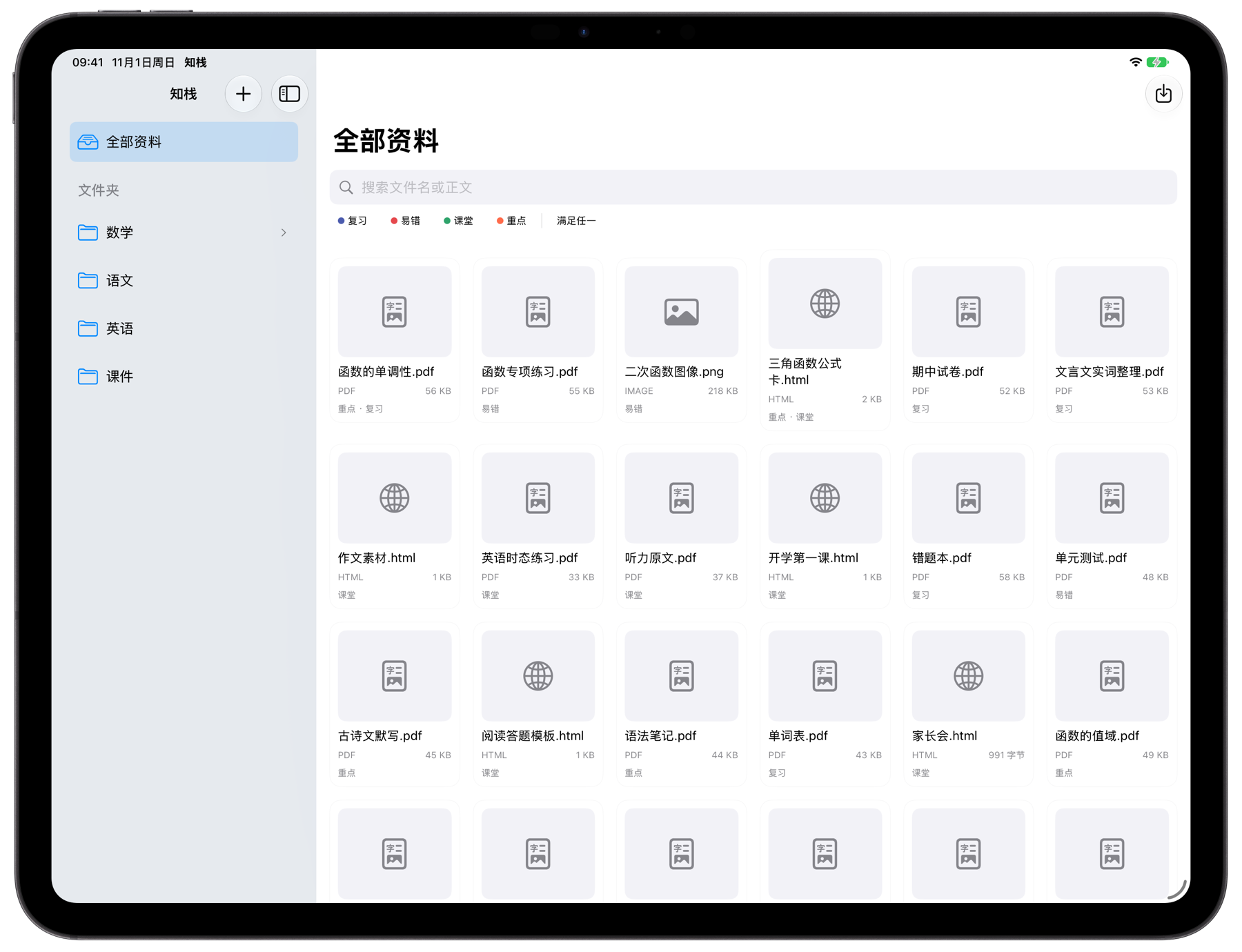
为资料整理而做,不为功能堆砌
老师备课、学生整理错题、家长留存材料,都能在同一个资料库里完成。
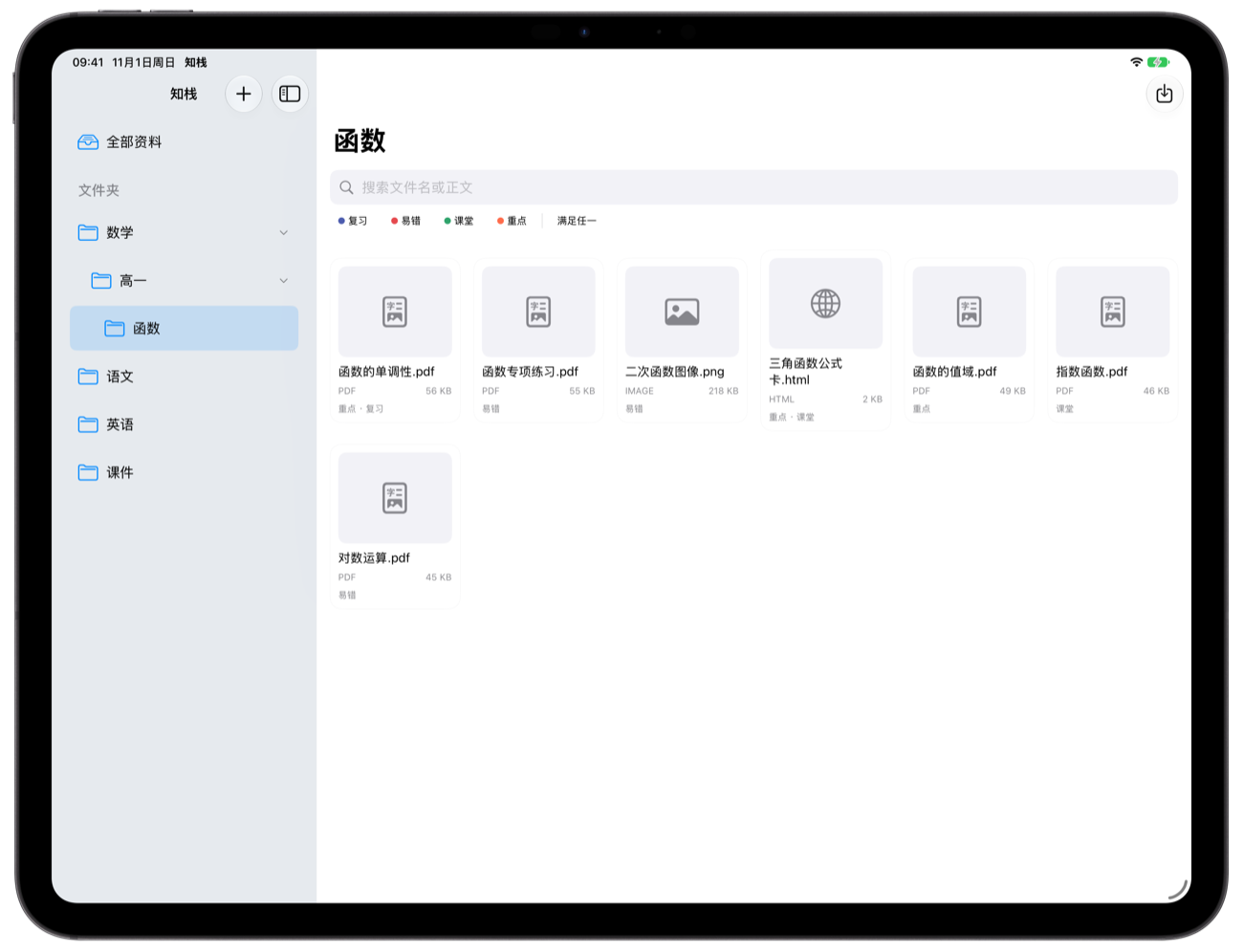
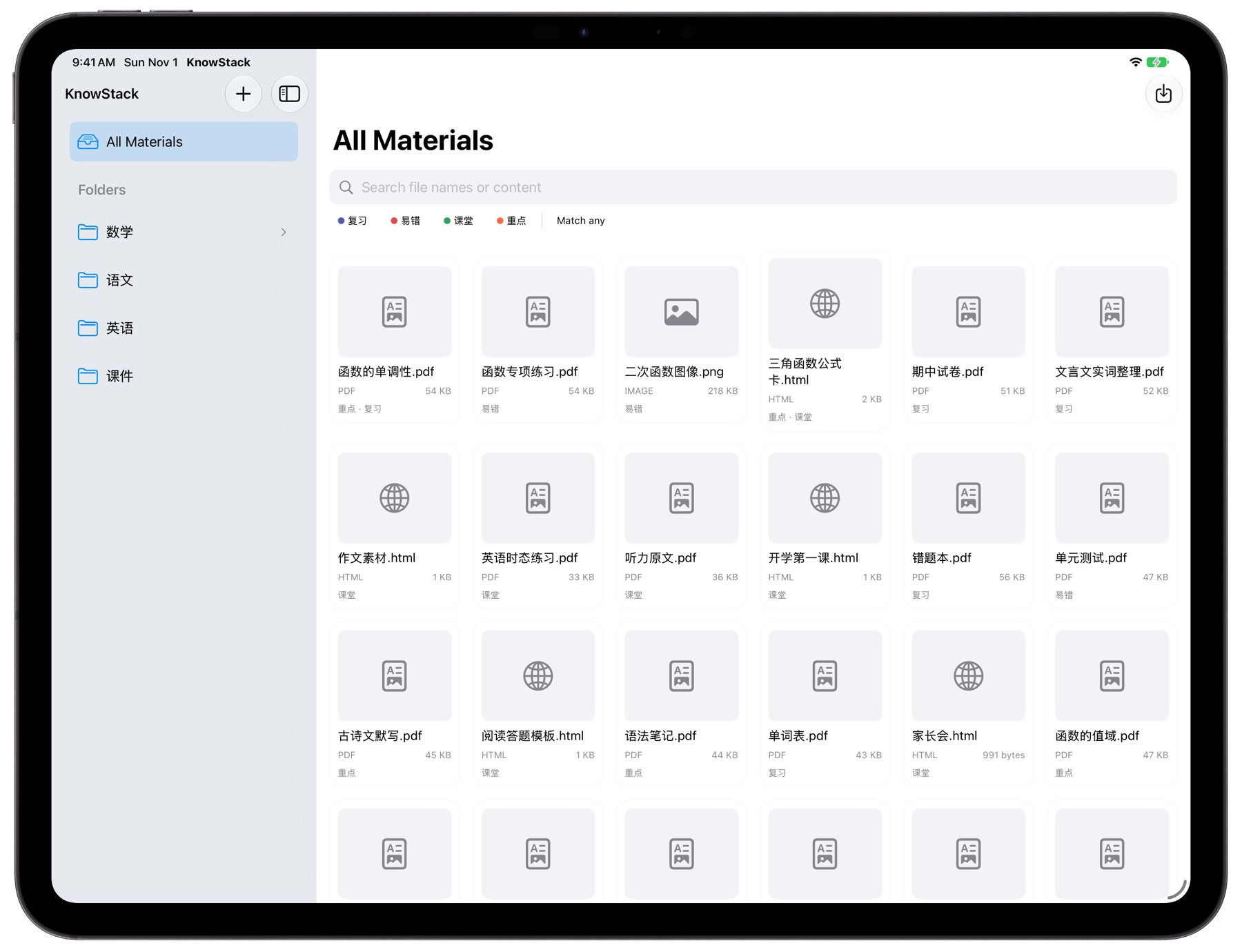
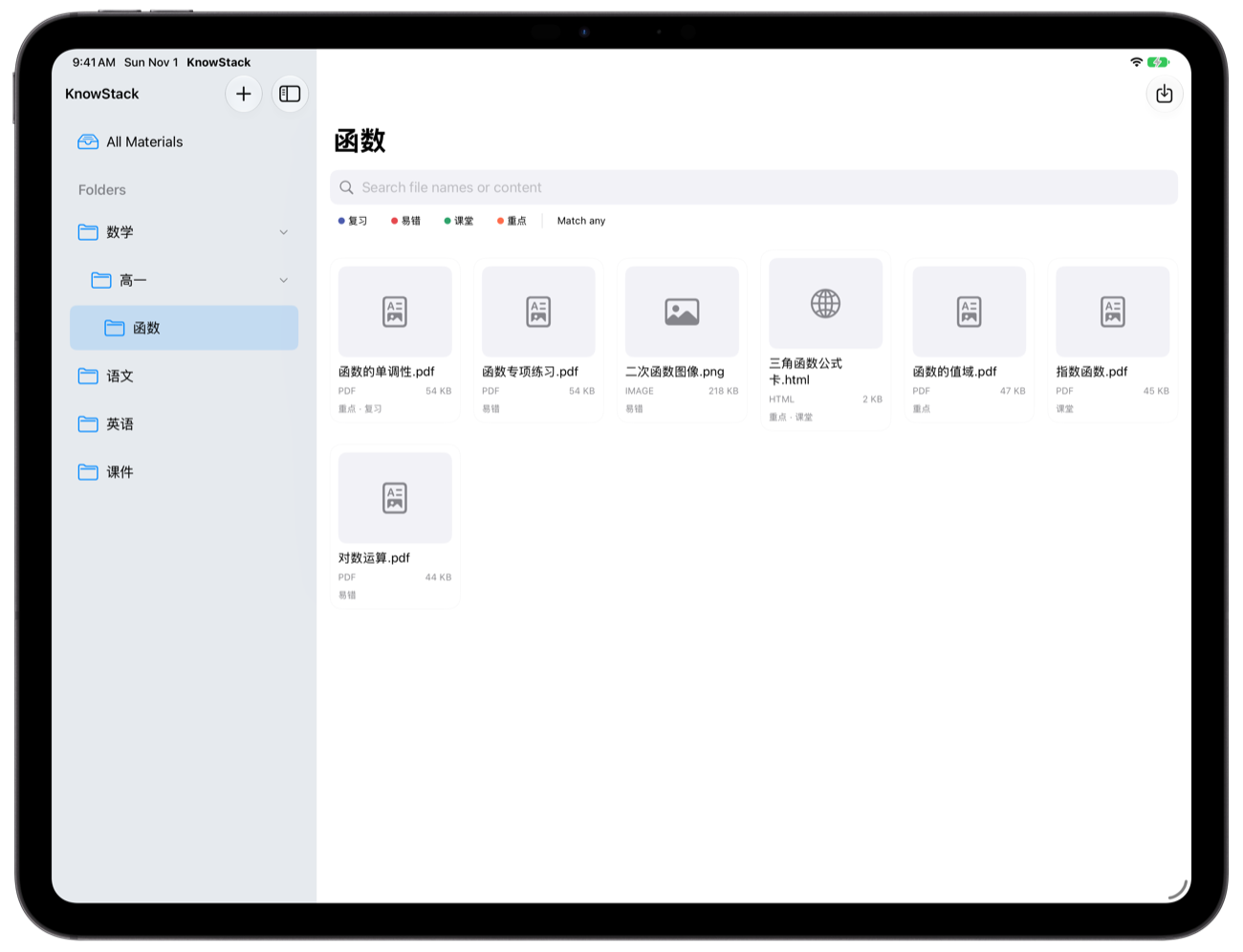
真实的文件夹层级
多级子文件夹,新建、重命名、拖动排序;文件按真实目录保存,结构清晰可迁移。
标签与组合筛选
一份资料多个标签,按「文件夹范围 + 标签 + 关键词」组合筛选,找东西不再靠翻。
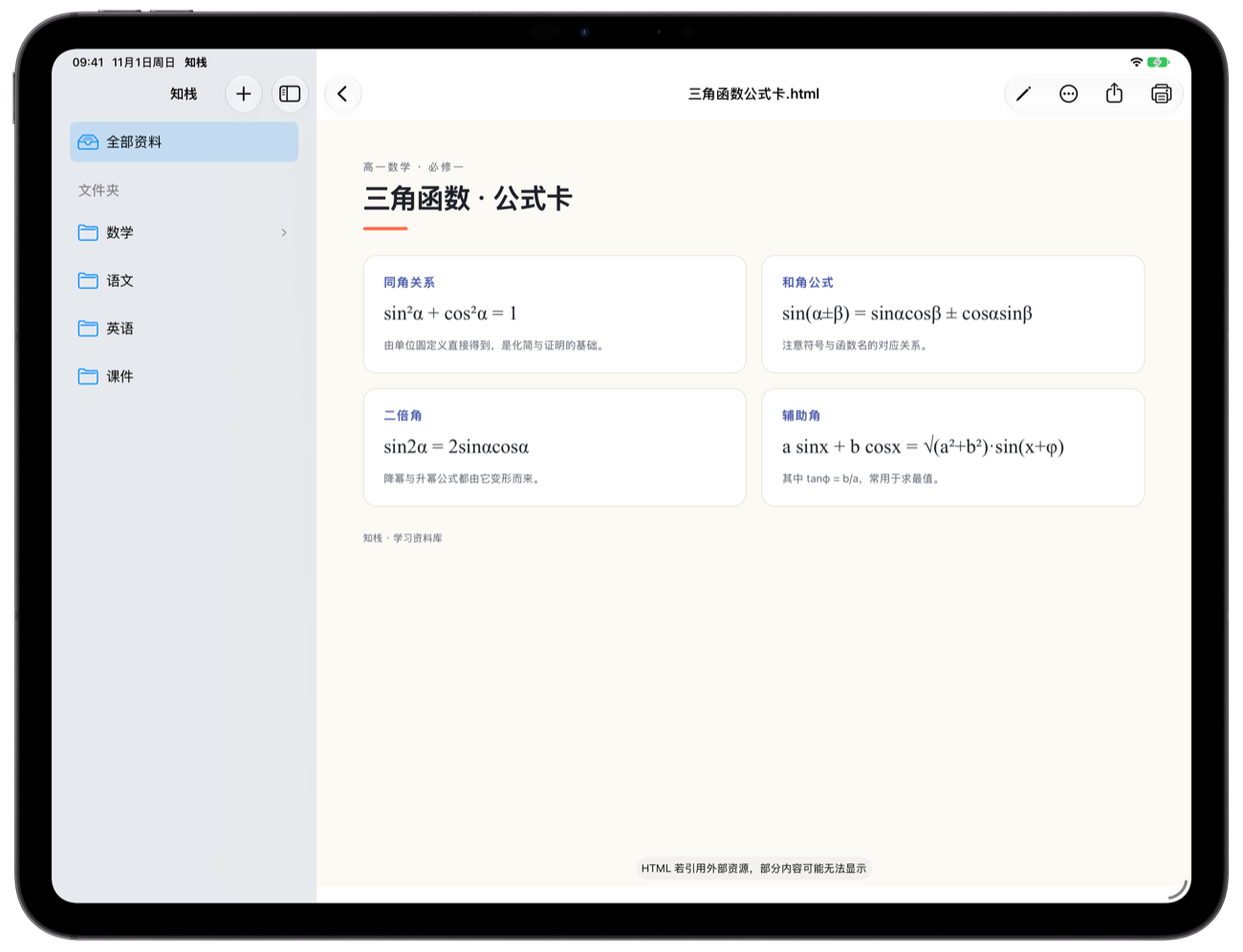
文件名 + 正文检索
PDF 与 HTML 的正文会建立索引,输入关键词直接定位到内容,而不只是文件名。
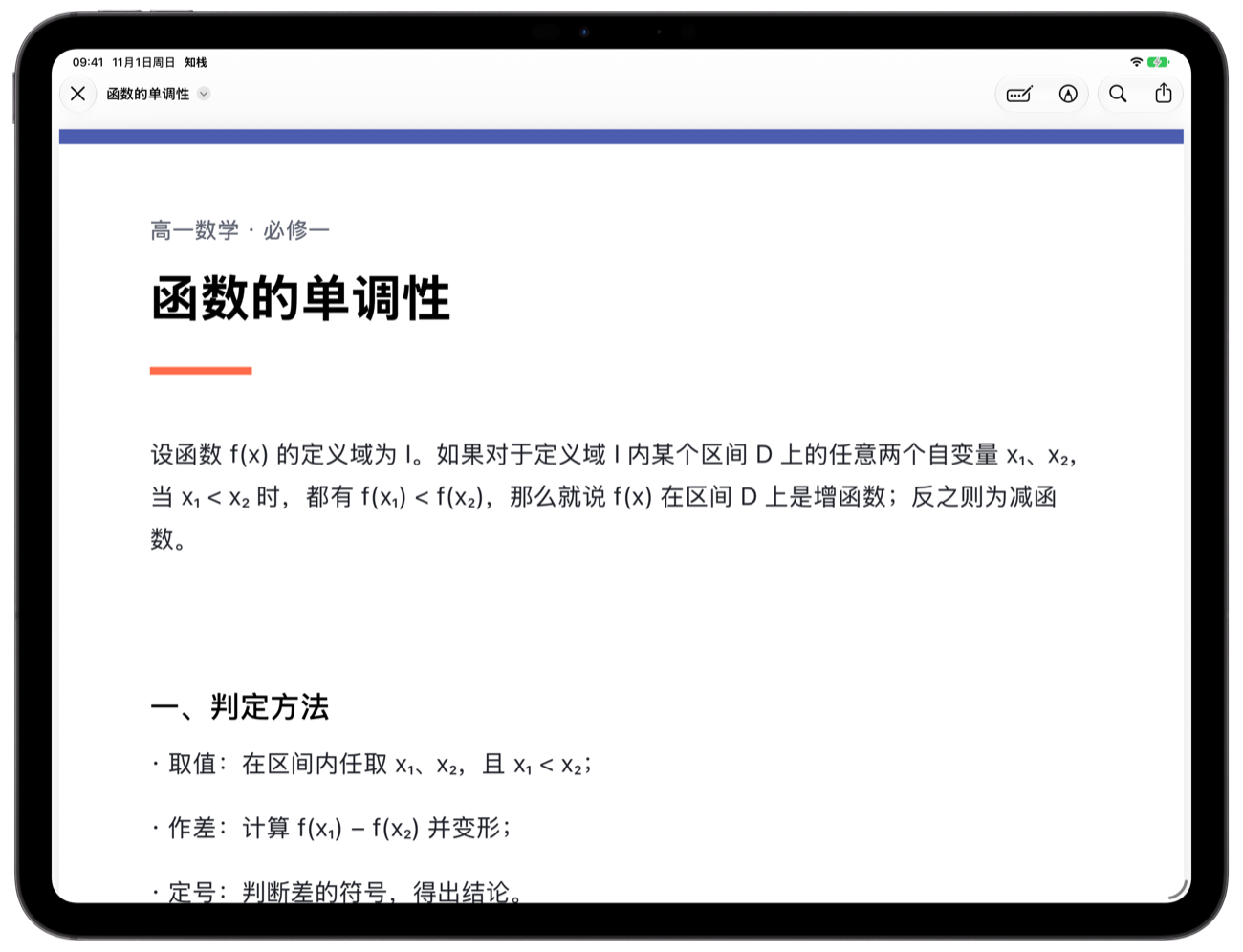
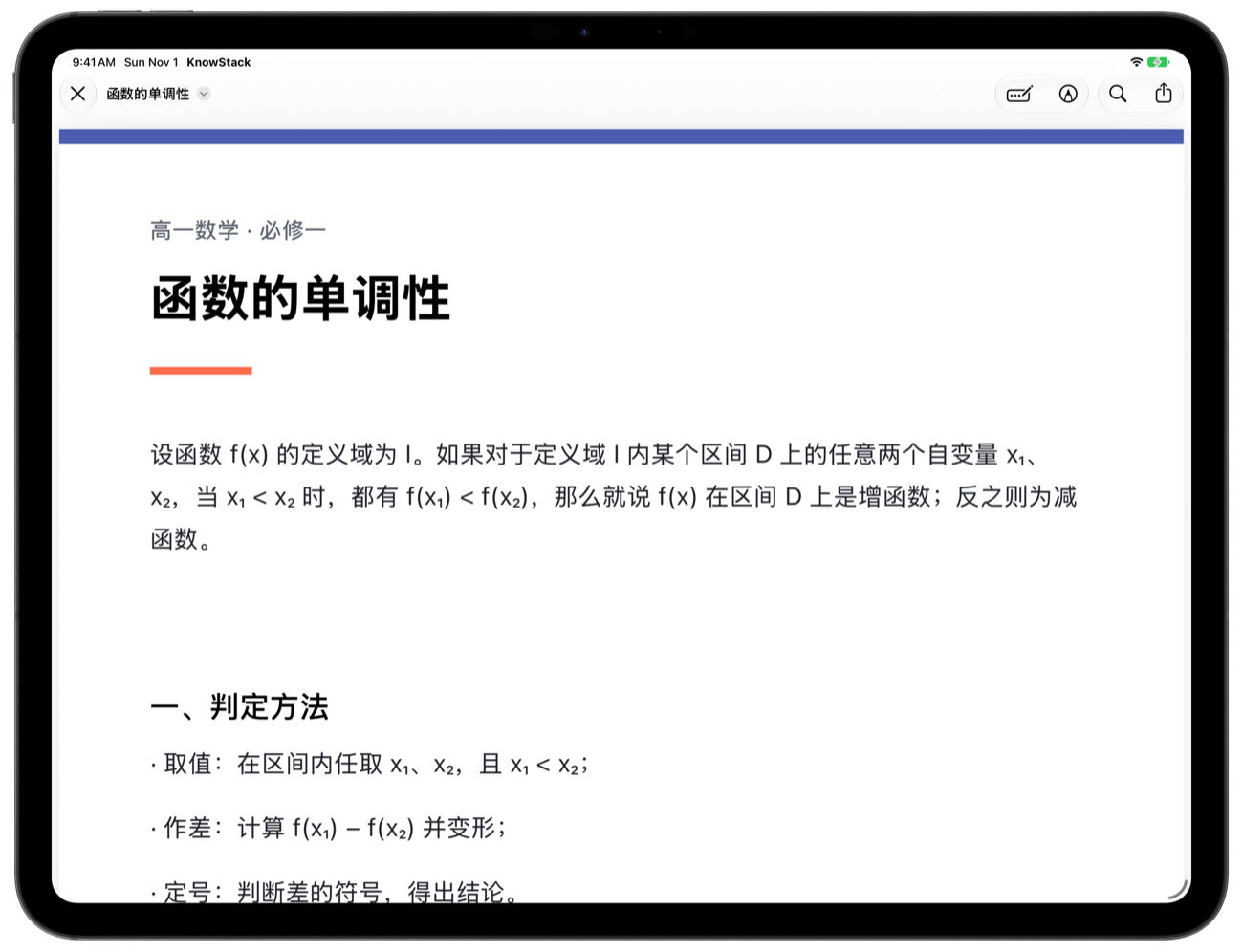
PDF 系统标注
点开即用系统预览,手写、形状、签名都能用;保存回原文件,不产生副本。
分享扩展收资料
在其他 App 里通过系统分享面板直接存入知栈,回到 App 就能看到。
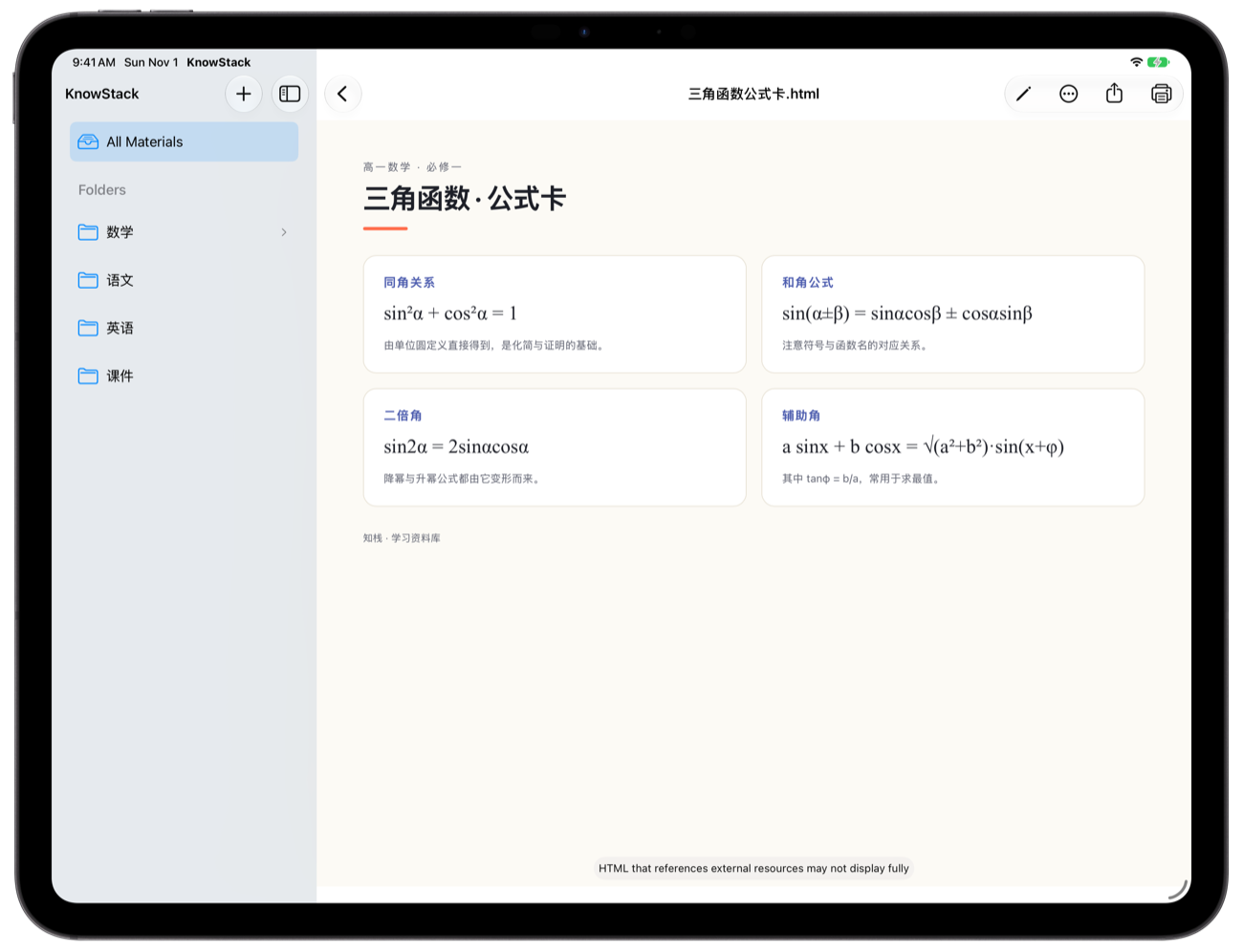
iCloud 与「文件」App
资料以真实文件保存,可在「文件」App 中浏览;登录 iCloud 后多设备同步。
长什么样
真实界面,不是概念图。
不收集数据
没有账号、没有广告、没有第三方统计 SDK。资料保存在你的设备或你自己的 iCloud Drive,开发者无法访问。
All your study
materials, together
Slides, exams, mistake logs and web pages — no longer scattered across chats, cloud drives and photo albums.
Built for organizing, not for feature lists
Lesson prep, mistake logs and family notices — all in one library.
Real folder hierarchy
Nested subfolders, rename, drag to reorder. Files live in real directories, so the structure stays portable.
Tags and combined filters
Multiple tags per document, filtered by folder, tag and keyword — no more digging through lists.
File name + content search
The text inside PDFs and HTML is indexed, so a keyword takes you to the content, not just the file name.
PDF markup
Opens in the system preview for handwriting, shapes and signatures; changes are saved back to the original.
Share extension
Save files from any app through the system share sheet and find them in KnowStack right away.
iCloud and Files
Files are real documents, visible in Files. Sign in to iCloud to sync across devices.
What it looks like
Real screens, not concept art.
No data collected
No account, no ads, no third-party analytics. Files stay on your device or in your own iCloud Drive; the developer cannot access them.